
Introduction: Why Todoist Remains a Top Task Manager in 2026
In the crowded productivity space of 2026, Todoist stands out as one of the most reliable, intuitive, and powerful to-do list and task management applications. With over 50 million users, Todoist excels at turning chaotic thoughts into organized, actionable tasks through best-in-class natural language processing, flexible organization, and seamless cross-platform sync.
Whether you are a busy professional, freelancer, student, or small team lead, Todoist helps clear mental clutter and boosts productivity without overwhelming complexity. This comprehensive Todoist features review 2026 dives deep into every major capability, pricing details, real-world performance, pros and cons, comparisons with alternatives, setup guides, and expert tips to help you decide if it fits your workflow.
History and Evolution of Todoist
Founded in 2007, Todoist has evolved from a simple to-do list into a sophisticated yet minimalist productivity platform. Its philosophy emphasizes speed, reliability, and an uncluttered interface that respects user attention. In 2026, major enhancements include advanced AI features like Task Assist and Ramble voice input, improved calendar integration, and stronger team collaboration tools while maintaining the clean design that made it popular.
Core Todoist Features in 2026
Natural Language Input: The Fastest Way to Capture Tasks
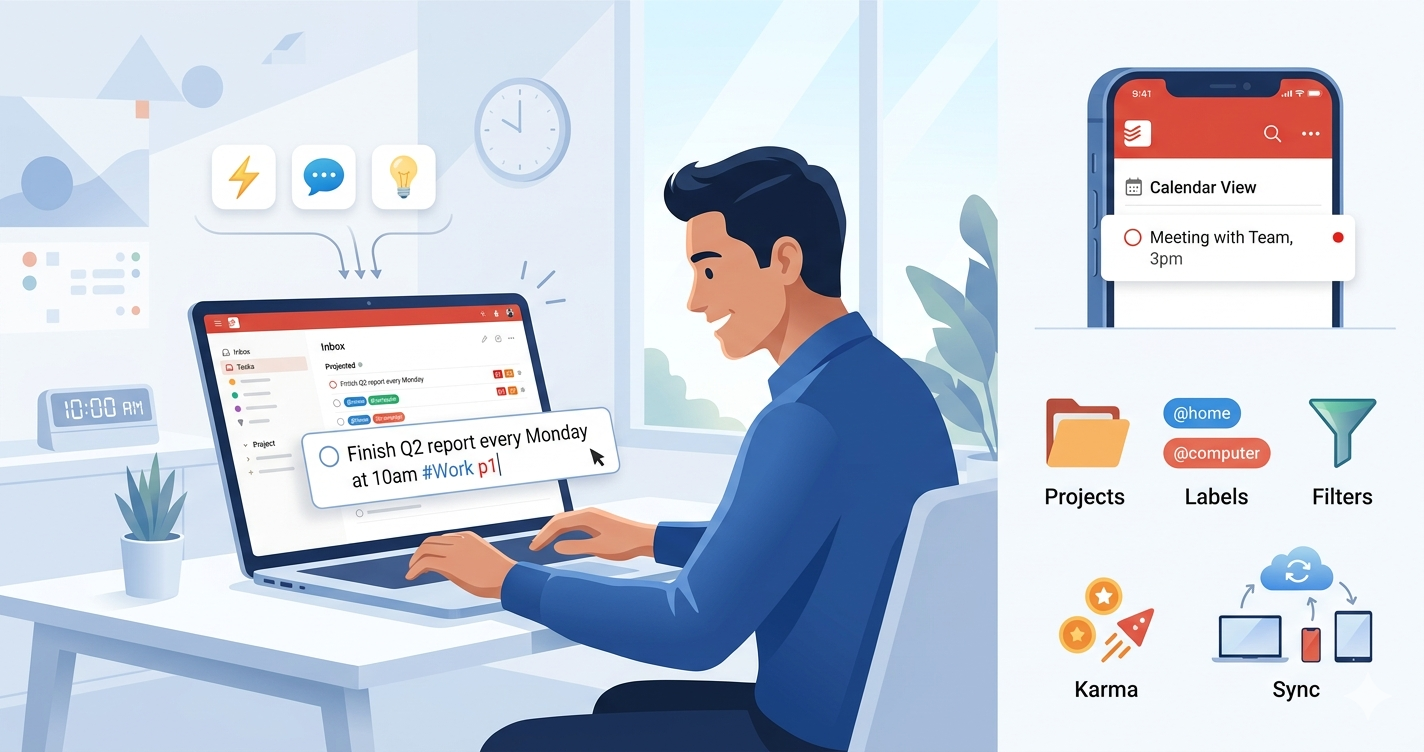
Todoist’s standout feature is its intelligent natural language processing. Type phrases like “Finish Q2 report every Monday at 10am #Work p1” and it automatically sets the due date, recurrence, project, priority, and labels. This frictionless capture makes adding tasks effortless on desktop or mobile.
Projects, Sections, and Flexible Views
Organize tasks into unlimited projects (Pro plan) with sections for better structure. Switch effortlessly between:
- List View — Classic linear layout
- Board View — Kanban-style for visual workflow
- Calendar View — Drag-and-drop planning (Pro feature)
Priorities, Labels, and Filters
Assign 4 priority levels (p1–p4) to highlight critical tasks. Use color-coded labels for context (e.g., @home, @computer). Create powerful custom filters like “overdue & #Work” or “due before: tomorrow & p1” — up to 150 in Pro.
Subtasks and Recurring Tasks
Break complex work into manageable subtasks with their own due dates and priorities. Set smart recurring tasks for habits or routines (daily, weekly, custom patterns).
Comments, Files, and Collaboration
Add detailed comments, attach files (up to 100MB in Pro), and mention teammates. Assign tasks, share projects, and track activity in real time. Business plan adds admin controls and roles.
Reminders and Notifications
Never miss deadlines with custom reminders (Pro). Get push notifications, email summaries, and location-based alerts on mobile.
Karma and Productivity Tracking
Gamified Karma system rewards task completion with points, streaks, and weekly/monthly productivity reports for motivation.
Todoist AI Features: Task Assist and Ramble
- Task Assist — AI suggests optimal scheduling, reschedules overdue items, and helps with batch actions.
- Ramble — Voice dictation that converts spoken ideas into structured tasks with projects, dates, and priorities (launched/expanded 2026).
Cross-Platform Sync and Offline Support
Native apps for Windows, macOS, Linux, iOS, Android, and browser extensions ensure seamless real-time sync. Full offline functionality with automatic updates when back online.
Integrations and Automation
Connect with Google Calendar, Outlook, Slack, Gmail, Zapier, IFTTT, and 80+ other tools for automated workflows.
Additional Productivity Features
- Themes and customization
- Quick Add from anywhere
- Inbox for uncategorized tasks
- Activity history (unlimited in Pro)
- Templates for repeated projects
- Keyboard shortcuts for power users
Todoist Pricing Plans in 2026
Beginner (Free): 5 projects, basic reminders, list/board views, limited filters and history. Pro: $5/user/month (billed annually) or $7 monthly — 300 projects, calendar view, full AI, unlimited filters/history, reminders, and more. Business: $8/user/month (annual) or $10 monthly — team workspaces, admin tools, 500 projects, advanced collaboration.
Performance and User Experience
Todoist earns praise for its lightning-fast interface, reliable sync, and minimalist design that reduces cognitive load. Users report significant productivity gains through quick capture and smart organization. Mobile apps are highly rated for on-the-go use, while desktop versions excel at deep planning.
Todoist Pros and Cons (2026)
Pros:
- Exceptional natural language processing
- Clean, fast, and consistent interface across platforms
- Powerful filters and customization
- Reliable offline mode and sync
- Strong AI enhancements (Task Assist & Ramble)
- Excellent integrations
- Gamification via Karma system
Cons:
- Free plan limitations (only 5 projects)
- Some advanced features paywalled
- Less visual/project management depth than Notion or ClickUp
- No built-in time tracking or Pomodoro (though integrable)
Todoist vs TickTick vs Notion vs Microsoft To Do (2026 Comparison)
| Feature | Todoist | TickTick | Notion | Microsoft To Do |
|---|---|---|---|---|
| Natural Language | Best-in-class | Very Good | Good | Basic |
| Views | List, Board, Calendar | Multiple + Calendar | Highly Custom | List + Steps |
| AI Features | Task Assist + Ramble | Built-in AI | Strong AI | Limited |
| Filters/Customization | 150+ Powerful Filters | Good | Database Power | Basic |
| Collaboration | Strong (Business) | Good | Excellent | Basic (Microsoft) |
| Pricing (Pro) | $5/mo annual | ~$3-4/mo | $10/user/mo | Free |
| Best For | Speed & Simplicity | All-in-one (Timer) | Notes + Tasks | Microsoft Users |
Verdict: Todoist wins for users wanting a dedicated, fast task manager. TickTick for budget all-in-one features. Notion for flexible workspaces combining notes and tasks.
Who Should Use Todoist in 2026?
- Individuals and freelancers needing quick capture and organization
- Professionals managing multiple projects and deadlines
- Small teams requiring collaboration without complexity
- GTD (Getting Things Done) practitioners
- Users who value simplicity over heavy project management tools
Step-by-Step Guide: Getting Started with Todoist
- Sign up at todoist.com (free plan available).
- Download apps for all your devices.
- Import tasks from other tools if needed.
- Create your first projects and sections.
- Master Quick Add with natural language.
- Set up key filters and labels.
- Enable notifications and calendar sync.
- Explore AI features on Pro.
Power User Tips:
- Use keyboard shortcuts extensively.
- Create advanced filters for daily reviews.
- Combine with calendar for time blocking.
- Leverage templates for recurring workflows.
- Minimize open projects for better focus.
Advanced Tips and Best Practices
Build a robust system with labels for contexts, priorities for urgency, and recurring tasks for habits. Use the Inbox as a capture point, then process daily. Review weekly with productivity stats to refine your approach. Integrate with email or Slack for seamless workflow automation.
Common Questions and Troubleshooting
Address typical issues like sync delays (rare), filter syntax, or maximizing free plan usage.
Frequently Asked Questions (FAQs)
Is Todoist free? Yes, with limitations. Pro unlocks full power.
Does Todoist have AI? Yes — Task Assist and Ramble voice features in paid plans.
Can teams use Todoist? Absolutely, especially on the Business plan.
Is Todoist better than Notion? For pure task management, yes. Notion wins for all-in-one notes + tasks.
Does it work offline? Yes, with full functionality and automatic sync.
Conclusion: Is Todoist Worth It in 2026?
Todoist delivers one of the best balances of simplicity, power, and reliability in task management. Its natural language input, flexible organization, AI enhancements, and cross-platform excellence make it ideal for individuals and small teams seeking productivity gains without complexity.
Ready to get organized? Head to todoist.com and start your free account today.

Leave a Reply