
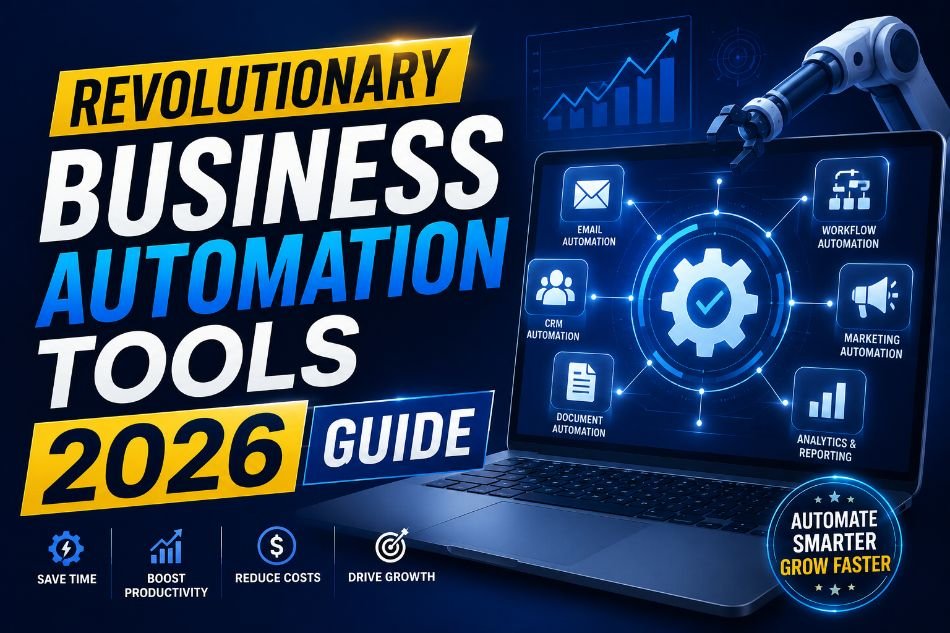
Running a business in 2026 is very different from how companies worked just a few years ago. Many daily tasks that once required hours of manual effort can now be completed automatically with smart software. Businesses of every size are using automation platforms to handle emails, organize projects, manage customer requests, and track deadlines without wasting time. These systems help teams focus on work that truly matters instead of repeating the same actions every day.
Small business owners are especially benefiting from modern automation software because they often work with limited staff and tight schedules. Instead of hiring additional employees to handle repetitive tasks, they can use digital tools to manage operations more efficiently. This saves money, improves accuracy, and reduces stress for workers.
The demand for Business Automation Tools has increased because companies want faster communication, better teamwork, and smoother workflows. In many industries, automation is no longer optional. It has become part of normal business operations. From retail shops to online agencies, businesses are adopting smarter systems to stay competitive and organized in a fast-moving market.
According to the U.S. Small Business Administration, digital tools can improve operational efficiency for growing businesses. U.S. Small Business Administration
The National Institute of Standards and Technology also highlights the importance of secure digital systems for modern organizations. National Institute of Standards and Technology
Industry reports on workplace technology trends can also be found on Gartner.
Why Automation Matters More in 2026
Modern businesses face constant pressure to deliver faster results while maintaining quality service. Customers expect quick responses, accurate information, and smooth experiences across websites, emails, and social media platforms. Trying to manage everything manually often creates delays and mistakes. Automation helps reduce these problems by handling repetitive tasks in the background.
For example, a small online store may receive hundreds of customer messages every week. Instead of replying manually to common questions, automation software can send instant responses, track orders, and automatically organize support tickets. This allows staff members to spend more time solving important customer issues.
Automation also improves teamwork inside organizations. Team members can see project updates, task deadlines, and workflow progress in real time. This reduces confusion and keeps everyone informed. Remote work has also increased the need for centralized digital systems because employees now work from different locations and time zones.
Another major advantage is data organization. Businesses collect large amounts of information every day. Smart workflow systems can organize files, generate reports, and track performance without manual input. This makes decision-making easier for managers and business owners.
In 2026, automation is helping businesses become more reliable, faster, and more productive without adding unnecessary complexity to daily work.
Zapier: Connecting Apps Without Coding
Zapier has become one of the most popular automation platforms because it allows businesses to connect apps without technical knowledge. Many companies use different software tools for emails, accounting, marketing, customer management, and file storage. Normally, employees would need to move information manually between these systems. Zapier removes that extra work by creating automatic workflows called “Zaps.”
For example, imagine a small marketing agency receiving new client requests through its website. Instead of manually copying customer information into a spreadsheet, sending an email notification, and creating a project task, Zapier can complete all of those actions automatically within seconds. This reduces human error and speeds up response times.
One reason businesses like Zapier is its simplicity. Users do not need coding skills to build workflows. The platform uses a simple, step-by-step setup process in which users choose triggers and actions between apps. A trigger could be receiving a form submission, while an action could be sending a message or updating a database.
The platform also supports thousands of applications, including email services, payment tools, project management software, and customer relationship systems. This flexibility makes it useful for freelancers, startups, and large organizations alike.
In 2026, companies are using Zapier to automate lead generation, customer support, social media scheduling, invoice tracking, and employee onboarding. Even small workflow improvements can save several hours every week. Over time, these savings help businesses increase productivity while reducing repetitive work that often frustrates employees.
Monday.com: Simplifying Team Collaboration
Monday.com has gained strong popularity because it helps teams organize work clearly and visually. Many businesses struggle with missed deadlines, unclear responsibilities, and scattered communication. Monday.com solves these problems by providing teams with a single shared workspace where projects, tasks, and updates are visible to everyone involved.
The platform is designed for both technical and non-technical users. Teams can create project boards, assign tasks, set deadlines, and track progress using simple layouts. Employees do not need advanced training to start using the system. This makes it especially useful for small businesses that want an easy way to improve organization.
One major advantage of Monday.com is workflow customization. Different industries have different needs. A construction company may use the platform to track building schedules, while a digital agency may use it for client campaigns and content approvals. Users can create workflows that align with their daily operations rather than forcing their business into a rigid system.
Automation features inside Monday.com also reduce repetitive work. For example, the platform can automatically notify team members when deadlines change or when tasks are completed. Managers can view project status in real time without having to request constant updates from employees.
Remote work has made collaboration tools more important than ever. Teams working from different locations often face communication gaps and confusion. Monday.com provides a central hub where everyone can view tasks, share files, and monitor timelines. This improves accountability and reduces unnecessary meetings.
In 2026, many businesses are choosing Monday.com because it combines project management, communication, and workflow automation into a single, easy-to-use platform.
ClickUp: Managing Everything in One Place
ClickUp is another powerful platform helping businesses manage work more efficiently in 2026. Many organizations use separate tools for task management, document sharing, goal tracking, and communication. Switching between multiple systems can waste time and create confusion. ClickUp aims to address this by bringing many workplace functions into a single platform.
One reason ClickUp stands out is its flexibility. Teams can customize dashboards, workflows, and task views based on how they prefer to work. Some employees like visual boards, while others prefer lists or calendar views. The platform allows users to choose layouts that fit their working style.
ClickUp also includes automation features that reduce manual effort. For example, recurring tasks can be created automatically for weekly reports, monthly invoices, or regular client updates. Notifications and reminders help teams stay on schedule without relying solely on memory.
Another useful feature is document collaboration. Team members can create notes, store files, and edit documents directly inside the platform. This reduces the need for endless email chains and scattered file storage systems. Managers can also track productivity and project progress through built-in reporting tools.
A real-world example could involve a small e-commerce business managing customer orders, marketing campaigns, and inventory updates inside ClickUp. Instead of using separate applications for each process, the company can organize operations in a single centralized workspace. This creates better visibility and smoother coordination between departments.
As businesses continue searching for simpler ways to manage work, ClickUp is becoming a preferred solution for teams that want flexibility, automation, and collaboration in a single system.
How Small Businesses Benefit From Automation
Small businesses often operate with limited budgets and fewer employees. Because of this, every hour of work matters. Automation software allows owners to complete more tasks without increasing staff costs. Instead of spending time on repetitive work, teams can focus on customer service, growth strategies, and product improvement.
For example, a local bakery could automate online order confirmations, appointment reminders, and inventory tracking. This reduces paperwork and allows employees to spend more time helping customers in-store. Similarly, a freelance consultant could automate invoice creation and email follow-ups, making daily operations more organized.
Automation also helps reduce mistakes caused by manual data entry. Incorrect customer information, forgotten appointments, or missed deadlines can damage a company’s reputation. Smart systems improve consistency by automating routine processes.
Another major benefit is scalability. As businesses grow, manual systems become harder to manage. Automation allows companies to handle larger workloads without completely rebuilding their operations. A small startup that begins with a few clients can continue growing without becoming overwhelmed by administrative tasks.
Employee satisfaction can also improve because workers spend less time on repetitive activities. Instead of copying data between spreadsheets or sending the same email repeatedly, employees can focus on creative and meaningful tasks.
In 2026, affordable automation software is giving smaller companies access to tools that were once available only to large corporations. This creates new opportunities for growth and efficiency across many industries.
Choosing the Right Automation Platform
Selecting the right automation platform depends on business goals, team size, and daily workflows. Some companies need simple app connections, while others require advanced project management systems. Understanding business needs before choosing software can prevent unnecessary expenses and confusion later.
Businesses that primarily want to connect apps and automate simple actions may prefer Zapier for its extensive integration library and easy setup. Teams focused on project collaboration and workflow visibility may benefit more from Monday.com. Organizations looking for an all-in-one workspace with flexible customization may find ClickUp more suitable.
Ease of use should also be considered carefully. Employees are more likely to adopt systems that feel simple and intuitive. Complex software can create frustration and slow productivity rather than improve it.
Cost is another important factor. Many platforms offer different pricing plans based on team size and features. Small businesses should compare available tools carefully before making long-term commitments. Free trials can help companies test workflows before investing money.
Security and data protection should never be ignored. Businesses handling customer information must ensure their chosen platform complies with appropriate security standards. Reviewing company policies and industry guidelines can help reduce risks.
The best automation system is not always the most expensive or feature-rich option. The right choice is the one that fits daily operations naturally and helps teams work more efficiently without adding unnecessary complexity.
The Future of Workplace Automation
Automation technology will continue evolving over the next few years. Artificial intelligence, smart reporting systems, and predictive analytics are becoming more common in workplace software. These features can help businesses identify patterns, forecast trends, and make better decisions using real-time data.
However, automation does not replace human creativity or judgment. Instead, it supports employees by reducing repetitive work and improving efficiency. Successful businesses in 2026 are combining technology with human skills to create better customer experiences and stronger teamwork.
Companies that ignore digital transformation may struggle to compete in fast-changing markets. Customers now expect quick communication, organized service, and smooth online experiences. Automation helps businesses meet these expectations while staying organized internally.
The future will likely bring even more integration between apps, communication tools, and artificial intelligence systems. Businesses that start learning automation now will be better prepared for future workplace changes.
FAQs
What are business automation tools?
Business automation tools are software platforms that automate repetitive tasks such as emails, task management, reporting, scheduling, and customer communication.
Which automation tool is best for beginners?
Zapier is often considered beginner-friendly because it lets users connect apps without coding.
Can small businesses afford automation software?
Yes. Many automation platforms offer affordable monthly plans and free versions designed for startups and small businesses.
Is automation safe for customer data?
Most trusted platforms include security features, but businesses should still review privacy policies and follow proper cybersecurity practices.
Do automation tools replace employees?
No. Automation primarily handles repetitive tasks, allowing employees to focus on important work that requires creativity and decision-making.
Which platform is better: Monday.com or ClickUp?
Both platforms are useful. Monday.com focuses strongly on team collaboration, while ClickUp offers broader customization and workspace management features.

Leave a Reply