
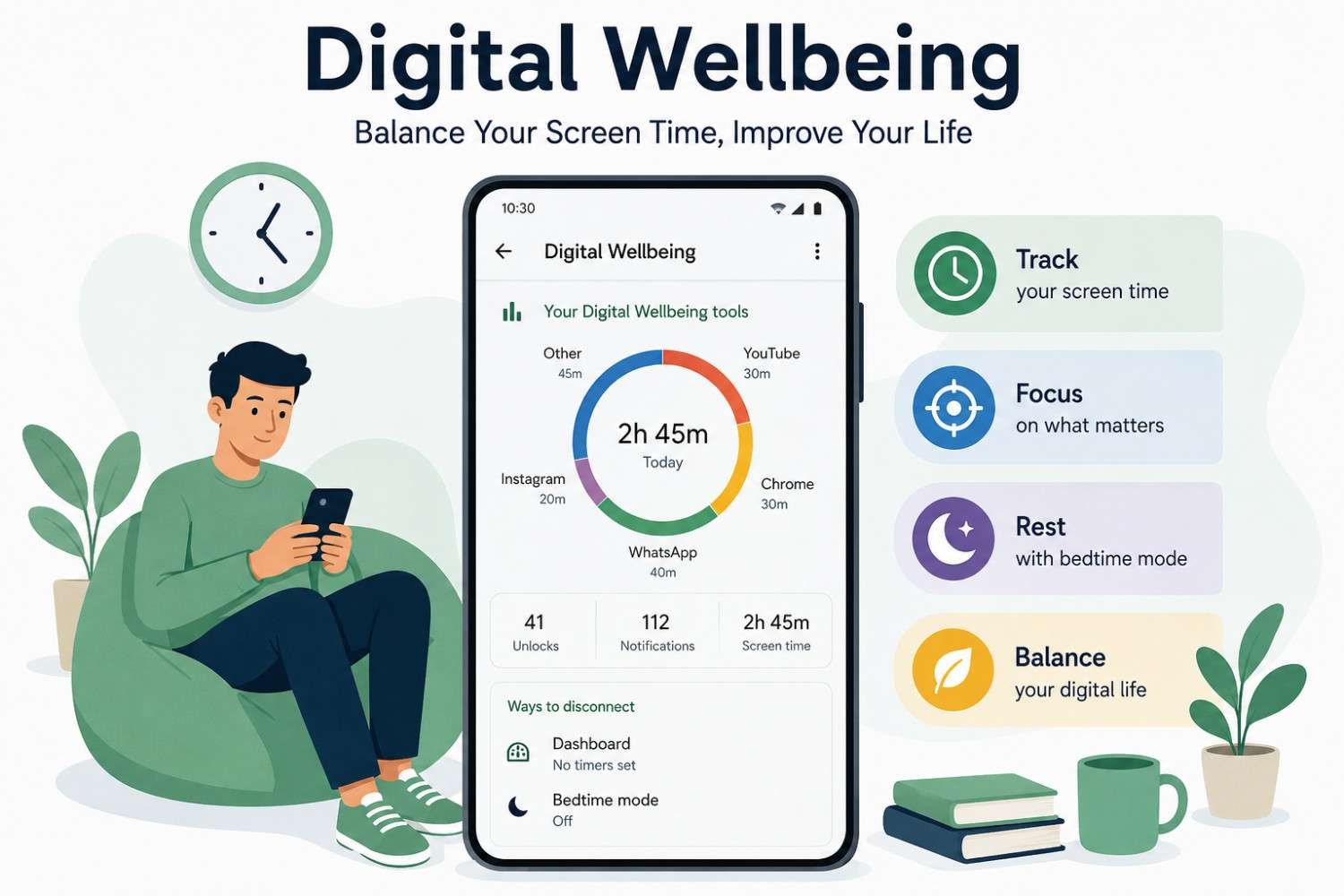
What Is Digital Wellbeing?
Digital wellbeing refers to the impact of digital technology on our physical health, mental health, and daily lifestyle. Smartphones, tablets, laptops, and other connected devices make life easier, but excessive usage can also create stress, distraction, poor sleep, and reduced productivity.
Today, many people spend several hours daily using mobile apps, social media platforms, and online tools. Because of this, maintaining a healthy balance between online and offline life has become more important than ever.
For users interested in software tools and productivity features, Digital Wellbeing offers practical solutions to control device usage and improve focus without completely disconnecting from technology.
You can also explore more software-related productivity resources on The Software Features.
Why Digital Wellbeing Matters in Modern Life
Technology plays a major role in communication, education, entertainment, and business. However, spending too much time online may negatively affect attention span, sleep quality, and emotional wellbeing.
Some common problems caused by excessive smartphone use include:
- Difficulty concentrating on work or studies
- Reduced face-to-face interaction
- Poor sleep habits
- Social media comparison stress
- Constant notification distractions
Digital wellbeing tools are designed to help users build healthier habits while still enjoying the benefits of technology.
Where to Find Digital Wellbeing on Android
Most Android smartphones already include Digital Wellbeing features. To access them:
- Open the Settings app
- Tap Digital Wellbeing & Parental Controls
- Enable Show Icon in App List
- Review your activity dashboard and settings
Android users can monitor daily phone usage, notification counts, unlock frequency, and app activity from one central dashboard.
Google also provides official information about Android Digital Wellbeing here:
Android Digital Wellbeing Guide
Best Digital Wellbeing Features for Android Users
Android devices include several built-in tools that help users maintain better control over smartphone habits.
Screen Time Monitoring
One of the most useful features is tracking device usage. The dashboard shows:
- Daily app usage hours
- Number of notifications received
- Phone unlock frequency
- Weekly activity reports
Tracking usage patterns helps users identify unhealthy habits and reduce unnecessary scrolling.
Use Focus Mode to block distracting apps during work or study sessions.
Enable Bedtime Mode for healthier sleep and fewer late-night notifications.
Focus Mode for Better Productivity
Focus Mode temporarily pauses distracting applications such as social media apps, games, or entertainment platforms.
This feature is especially useful for:
- Students during study hours
- Office workers managing tasks
- Freelancers handling client projects
- Content creators needing uninterrupted focus
By reducing interruptions, users can improve concentration and complete tasks faster.
Learn more about productivity software tools from:
Ultimate PC Software Guide 2026 Tools Security Productivity
Bedtime Mode for Healthy Sleep
Many people use smartphones late at night, which can negatively impact sleep quality. Bedtime Mode automatically dims the screen, silences notifications, and reduces distractions before sleep.
Benefits of using Bedtime Mode include:
- Better sleeping routine
- Reduced late-night scrolling
- Less eye strain
- Improved mental relaxation
Healthy sleep habits are an important part of maintaining digital balance.
Digital Wellbeing for PC Users
While Digital Wellbeing is commonly associated with Android devices, PC users can also benefit from similar tools and habits.
Many desktop productivity applications now include:
- Notification management
- App usage tracking
- Focus timers
- Work session scheduling
- Blue light reduction settings
If you regularly work on computers, balancing online activity is equally important for productivity and mental wellbeing.
You can explore software solutions for businesses here:
Top 10 Most Used Business Software
Can You Delete Digital Wellbeing?
Many users search whether they can remove or disable Digital Wellbeing on Android devices.
The answer depends on the smartphone brand and Android version. In most cases:
- You can disable the app
- You can stop usage access permissions
- You cannot fully uninstall system apps on some devices
However, keeping Digital Wellbeing enabled is beneficial because it helps users maintain healthier digital habits.
Google support provides additional details here:
Google Digital Wellbeing Support
Digital Wellbeing APK and Third-Party Apps
Some users look for a Digital Wellbeing APK to manually install the feature on unsupported devices.
Before downloading APK files, users should always:
- Use trusted sources only
- Avoid modified APK files
- Check app permissions carefully
- Scan files for malware risks
Security is extremely important when installing third-party Android applications.
You can also read software review content here:
Quicken Simplifi Review 2026
Helpful Tips to Reduce Mobile Addiction
Creating healthy digital habits does not require completely avoiding technology. Instead, users should focus on balance and control.
Here are some practical methods:
Set Daily Usage Limits
Most Android devices allow users to create app timers. Once the limit is reached, the application becomes temporarily unavailable.
Disable Non-Essential Notifications
Constant notifications interrupt focus and increase stress. Turning off unnecessary alerts helps users stay productive.
Schedule Screen-Free Breaks
Taking breaks from screens improves mental clarity and reduces eye strain.
Avoid Using Phones Before Sleep
Reducing nighttime phone usage can significantly improve sleep quality and energy levels.
Online Safety and Digital Awareness
Digital wellbeing also includes safe internet usage. Users should remain cautious when sharing personal information online.
Important online safety tips include:
- Never share banking details publicly
- Avoid unknown contacts online
- Report harmful or suspicious accounts
- Understand age restrictions on apps and games
- Remember that social media content is often unrealistic
Healthy digital behavior supports both safety and mental wellbeing.
Conclusion
Digital wellbeing is becoming increasingly important as technology continues to shape everyday life. Android tools such as Focus Mode, Bedtime Mode, and activity tracking help users manage screen habits more effectively. Whether using a smartphone or PC, maintaining balance between online and offline activities can improve productivity, sleep quality, and mental health. By adopting healthier digital habits and using wellbeing tools wisely, users can enjoy technology without letting it control their daily lives.
FAQs
1. What is Digital Wellbeing on Android?
Digital Wellbeing is an Android feature that helps users monitor screen time, reduce distractions, and create healthier phone usage habits.
2. Can I delete Digital Wellbeing from my phone?
Some Android devices allow users to disable the feature, but complete removal may not be possible because it is a system application.
3. Is downloading a Digital Wellbeing APK safe?
Downloading APK files is only safe when using trusted sources. Avoid modified APK files from unknown websites.
4. How does Focus Mode work?
Focus Mode pauses selected apps temporarily to help users avoid distractions while working or studying.
5. Does screen time affect mental health?
Excessive screen time may contribute to stress, poor sleep, reduced focus, and social comparison behaviors if not managed properly.

Leave a Reply