
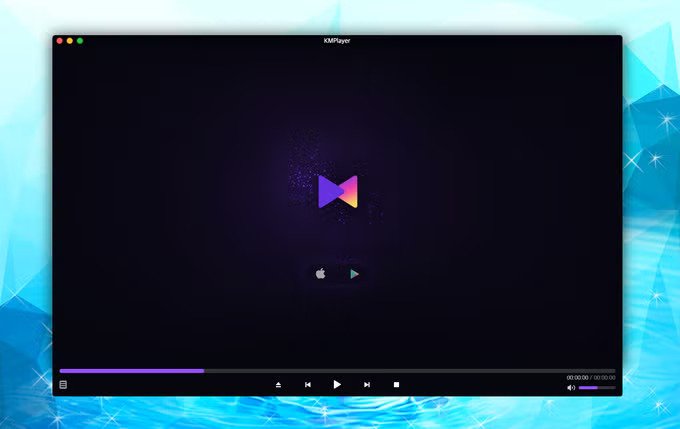
KMPlayer remains one of the most versatile and feature-packed free multimedia players available in 2026. Developed by Pandora TV, it has earned a massive global user base (with reports of 1.5 billion monthly plays) by supporting virtually every video and audio format while offering deep customization that power users love.
Whether you’re watching 4K/8K UHD videos, 3D content, streaming from the web, or managing complex subtitle files, KMPlayer delivers powerful tools without needing extra codec packs in most cases. This in-depth guide covers everything you need to know about its features, performance, comparisons, installation, and tips to maximize your experience on thesoftwarefeatures.com.
Why KMPlayer Stands Out in 2026
In a market dominated by VLC, PotPlayer, and Windows Media Player, KMPlayer differentiates itself through extreme customizability, advanced playback controls, and strong high-resolution support. The latest versions (such as 2026.4.24.27 for 64-bit and 4.2.3.34) emphasize ad-free experiences in premium/clean builds, better optimization for modern hardware, and enhanced network/cloud playback.
Key highlights include:
- Broad format support without external codecs.
- Excellent 4K, 8K, UHD, and 60FPS playback.
- Highly customizable interface and playback settings.
- Strong subtitle tools and audio/video enhancement options.
- Cross-platform availability (Windows, Android, iOS).
Comprehensive Format Support
One of KMPlayer’s biggest strengths is its ability to play almost any media file out of the box. It handles:
- Video formats: AVI, MP4, MKV, MOV, WMV, FLV, OGM, RM, TS, MPEG-1/2/4, WEBM, 3GP, and more.
- Audio formats: MP3, AAC, WMA, OGG, and various lossless formats.
- High-resolution and special content: 4K, 8K, UHD, 60FPS, 3D videos, VR/360° content, DVDs, and Blu-ray structures.
It uses internal codecs and DirectShow filters efficiently, often playing damaged or incomplete files (e.g., partially downloaded AVIs) that other players struggle with. This makes it ideal for users with diverse media libraries from different sources.
Installation and System Requirements
Download from the official site: kmplayer.com (highly recommended to avoid bundled software).
Windows versions:
- 32-bit and 64-bit support.
- Latest 64-bit build optimized for high-end PCs (8K/60FPS).
- Low resource usage with hardware acceleration.
Mobile apps: Available on Google Play and Apple App Store with features like Wi-Fi sharing, background play, and premium upgrades.
System requirements are modest — it runs well on older hardware while scaling excellently on modern systems with GPU acceleration.
Core Playback Features
Advanced Playback Controls:
- Playback speed from 0.25x to 4x (or more in some builds).
- Frame-by-frame stepping.
- A-B repeat for sections.
- Zoom, pan, rotate, and mirror modes.
- Screen capture (including GIF creation from video sections).
Video Enhancements:
- Hardware acceleration for smooth high-res playback.
- Video renderer options for better quality.
- Color adjustment: brightness, contrast, hue, saturation, gamma.
- Filters: sharpen, denoise, noise reduction.
- 3D playback support.
Audio Tools:
- Built-in equalizer with presets.
- Audio normalization and channel control.
- Multiple audio track support (great for movies with different languages).
- Enhanced sound rendering.
Subtitle Mastery:
- Supports internal and external subtitles (SRT, ASS, etc.).
- Easy sync adjustment, font/size/color/position customization.
- Multiple subtitle tracks.
User Interface and Customization
KMPlayer offers one of the most skinnable and flexible interfaces among media players. You can:
- Change skins and themes.
- Customize the control panel and quick buttons.
- Adjust the overall layout for minimal or full-featured views.
The interface can feel overwhelming for beginners due to the depth of options, but once configured, it becomes highly efficient. Recent updates have streamlined menus and removed many ads in the main Windows version for a cleaner experience.
Bookmarks and Playlists: Add time-based bookmarks and create custom playlists easily.
Network, Streaming, and Extra Tools
- URL streaming: Play YouTube, radio, and other online content directly.
- Network playback: Enhanced SMB, FTP, UPnP support.
- Cloud integration improvements.
- Download capabilities: Grab videos from platforms like YouTube or Instagram.
- Premium mobile features: Magnet client (play while downloading), MP3 extractor, media crop, GIF creation.
Screen recording/capture and basic editing-like tools (crop sections) add extra utility beyond pure playback.
KMPlayer vs VLC: Detailed Comparison (2026)
| Feature | KMPlayer | VLC Media Player | Winner |
|---|---|---|---|
| Format Support | Excellent, strong on damaged files | Near-universal | Tie |
| Customization | Extremely high (skins, filters) | Moderate | KMPlayer |
| High-res (4K/8K/3D) | Optimized with hardware accel. | Very good | KMPlayer |
| Subtitle Tools | Advanced sync & styling | Solid | KMPlayer |
| User Interface | Highly customizable, learning curve | Simple & straightforward | VLC (beginners) |
| Resource Usage | Efficient, lower in many tests | Very lightweight | Depends on hardware |
| Ads / Bloat | Minimal in latest clean builds | None | VLC |
| Streaming & Network | Strong enhancements | Excellent | Tie |
Choose KMPlayer if you want deep customization and advanced controls. Choose VLC if you prefer simplicity and zero hassle.
Many users report KMPlayer offers better audio quality and more precise video adjustments in direct side-by-side tests.
Pros and Cons of KMPlayer
Pros:
- Extremely versatile format and codec handling.
- Powerful customization and enhancement tools.
- Smooth high-resolution and 3D/VR playback.
- Low-to-moderate resource usage with acceleration.
- Regular updates with performance improvements.
- Cross-platform with strong mobile apps.
- Useful extras like capture, bookmarks, and streaming.
Cons:
- Interface can overwhelm new users.
- Some older versions or builds had intrusive ads (largely improved).
- Occasional reports of missing specific codecs in certain updates (e.g., AC3/DTS in the past).
- Steeper learning curve compared to minimalist players.
Performance and Hardware Optimization
The 2026 versions are optimized for modern hardware. On high-end PCs, it handles 8K and 60FPS content efficiently. Hardware acceleration (via GPU) reduces CPU load significantly, making it suitable for lower-end systems too. Users often note stable playback of large MKV files or high-bitrate content where other players stutter.
Tips and Tricks for Best Experience
- Enable Hardware Acceleration in settings for smoother playback.
- Use external filters if needed for advanced processing.
- Customize hotkeys for faster control.
- Download latest version from the official site.
- For mobile: Use Wi-Fi transfer and premium features for full power.
- Experiment with video renderers for optimal quality on your display.
- Create custom skins or layouts that match your workflow.
Who Should Use KMPlayer?
- Power users and enthusiasts who tweak settings.
- Fans of high-resolution/3D/VR content.
- Users with large, varied media collections.
- People who want one player for everything (local + streaming).
- Mobile users needing advanced controls.
Beginners might start with VLC and graduate to KMPlayer as they seek more control.
Conclusion: Is KMPlayer Worth It in 2026?
Yes — KMPlayer continues to be a top-tier choice for users who value features and flexibility over absolute simplicity. Its combination of broad compatibility, advanced tools, and ongoing optimization keeps it relevant against newer competitors. While it may not be the absolute lightest or simplest player, its depth makes it incredibly powerful once mastered.
For most users on Windows or mobile looking for a “do-it-all” media player with excellent high-res support and customization, KMPlayer delivers outstanding value as a free tool.
Download Recommendation: Head to the official KMPlayer website for the latest safe version. Try both 32-bit and 64-bit builds to see what performs best on your system.

Leave a Reply